Fiont Google Slide Template: Modern Design for Presentations
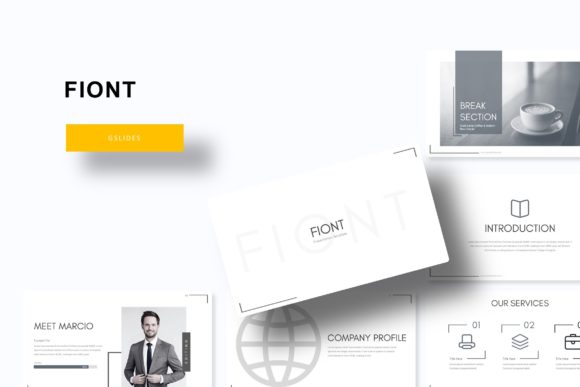
Creating a presentation that truly captivates an audience often comes down to the details, and a cohesive, professional template is the foundation of that success. The Fiont Google Slide Template offers a comprehensive solution for anyone looking to elevate their slide decks with a polished, modern aesthetic. This isn't just a single style; it's a versatile design system built for clarity, creativity, and impact, making it an excellent design asset for professionals, educators, and creatives alike.
At its core, this package is a powerhouse of design flexibility. It includes 150+ total slides organized across 5 premade color themes, providing 30 distinct slides for each color variation. This structure ensures you have a robust starting point for any project, whether you're crafting a corporate quarterly report, a marketing pitch, a classroom lecture, or a portfolio showcase. The consistent design language across the themes saves valuable time while guaranteeing a unified look.
One of the standout features is the collection of handcrafted infographics. These aren't generic clipart; they are thoughtfully designed visual elements—charts, timelines, process flows, and diagrams—that transform complex data into an engaging story. Paired with dedicated Section Break Slides and elegant Gallery and Portfolio slides, the template provides intuitive structure, guiding your audience smoothly from one point to the next.
Practicality is woven into every aspect. All graphics are resizable and editable, allowing you to customize colors, shapes, and sizes to match your exact brand guidelines. The picture placeholder feature is a game-changer for efficiency; simply drag and drop your images into the designated frames for a perfect, professional fit every time. Built on a system of Master Slides, any global change—like updating a logo or color scheme—can be applied instantly across the entire presentation, ensuring pixel-perfect consistency.
What Makes This Template a Valuable Design Asset?
Think of this template as more than just slides; it's a toolkit for effective visual communication. Here’s how it can be applied to various creative and professional scenarios:
- Brand Identity & Marketing: Use the cohesive design to create consistent brand presentations for clients or internal teams. The modern typography and clean layouts help reinforce a professional brand image.
- Portfolio & Case Studies: The dedicated gallery slides are ideal for designers, photographers, and agencies to showcase work in a compelling, narrative-driven format.
- Educational & Workshop Materials: The structured sections and clear infographics make complex information digestible, perfect for teaching or conducting training sessions.
- Business Pitches & Reports: From financial data to project timelines, the handcrafted infographics provide a clear, credible way to present information to stakeholders.
Tips for Choosing and Using a Presentation Template
When selecting a template like Fiont, consider the mood and tone of your project. Its modern, clean aesthetic suits forward-thinking industries like tech, design, education, and consulting. Always test the readability of the text against your chosen color theme—ensure there is sufficient contrast, especially for body text on slides that will be viewed from a distance.
Effective font pairing is key to a polished look. The included readme file specifies the free font used, making it easy to maintain consistency if you edit the presentation outside the template environment. While the template provides a strong visual framework, don’t be afraid to customize. Swap out placeholder text with your own compelling copy, and use the editable graphics to align with your specific branding, from logos to accent colors.
Ultimately, investing in a well-designed template like this is an investment in clarity and professionalism. It removes the guesswork and technical hurdles of slide design, allowing you to focus entirely on your message. The right design assets don’t just make things look better; they make your ideas more understandable, memorable, and persuasive. By providing a vast library of organized, customizable elements, the Fiont system empowers you to create presentations that are not only seen but truly remembered.